Navigating the skies requires precision, especially when dealing with wind effects. Pilots often encounter challenges related to wind direction and velocity, which can impact flight paths significantly. In this context, understanding how to use a manual flight computer for wind corrections becomes essential. This skill not only enhances navigation accuracy but also builds pilot confidence.
Using a manual flight computer involves a series of steps that, while straightforward, require attention to detail. Many pilots underestimate the importance of these corrections. They may not realize how small deviations can lead to substantial errors over long distances. Effective use of this tool demands practice and familiarity.
Even experienced pilots might find some complexities challenging. Misreading data or neglecting wind adjustments can lead to pilot error. This article aims to break down the process, helping you master how to use a manual flight computer for wind corrections. By focusing on practical applications and common pitfalls, we can pave the way for safer and more efficient flights.
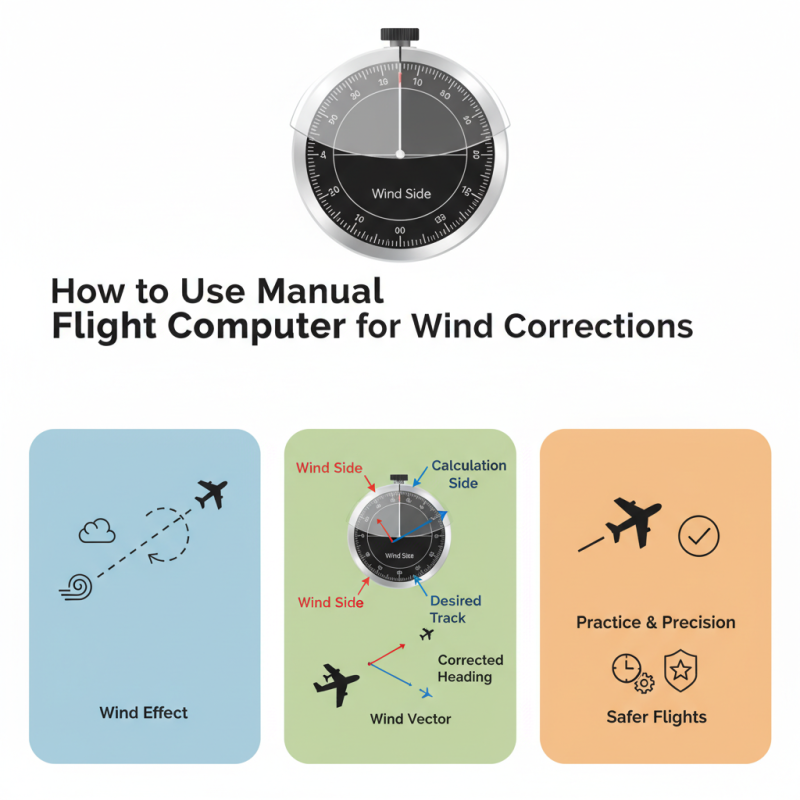
Manual flight computers, also known as E6B calculators, are essential tools for pilots navigating complex airspace. These devices help calculate wind corrections, fuel consumption, and flight time. Understanding how to use them effectively can enhance a pilot's overall performance in the cockpit. According to a study by the Aircraft Owners and Pilots Association, approximately 65% of private pilots still rely on manual methods for computations, highlighting the relevance of learning traditional skills.
Using a manual flight computer involves grasping basic principles. Pilots must know how to input wind speed and direction accurately. Then, they can determine the wind correction angle by referencing the flight path on the computer. Miscalculations can lead to significant deviations. For example, a wind speed variation of just 10 knots can result in up to a 2% fuel inefficiency over a long flight, which is particularly critical when flying long distances.
Training and practice are crucial. A pilot's proficiency directly impacts safety and efficiency. However, many pilots report feeling overwhelmed by the manual process. Regular practice can alleviate this issue. Frequent calculations using a flight computer can help pilots build confidence. Continuous learning is key to mastering this fundamental skill and ensuring that pilots are prepared for various weather conditions.
Understanding wind variables is essential for safe flying. Wind direction, speed, and turbulence can significantly affect flight performance. Pilots must accurately assess these factors when planning their routes. A seemingly light breeze may create significant drift during a flight.
When using a manual flight computer, pilots can measure wind correction angles. They need to input the wind speed and direction. The output shows how much to adjust heading. It can be challenging to get these numbers right. A pilot might feel confident but still miscalculate. Practice is crucial to refining this process.
Each flight offers new challenges. Wind conditions change frequently. Learning to adapt is vital. Pilots must reflect on past flights to improve their judgment. Relying solely on technology may lead to complacency. Manual calculations enhance understanding and awareness, improving overall flight safety.
Using a manual flight computer for wind corrections can be challenging but rewarding. The first step involves gathering essential information. Start by identifying your true airspeed and heading. Use the flight computer to input these values. This sets the foundation for your wind correction calculations.
Next, determine the wind speed and direction. Align the wind triangle on your flight computer to reflect these details. The wind correction angle is crucial. It helps adjust your flight path. By calculating it accurately, you can minimize drift. Make sure to double-check your work. Errors can lead to significant course deviations.
Finally, practice is key. Manual calculations can seem daunting at first. Mistakes are common, so don't get discouraged. Each attempt builds your confidence. Over time, you’ll find a rhythm. Understanding these fundamentals ensures safe navigation, even when conditions vary. Your skills will improve, making each flight more enjoyable.
This chart illustrates the wind correction factors based on different wind speeds and directions for effective flight navigation. The data reflects potential adjustments needed for maintaining accurate flight paths under varying wind conditions.
When using a manual flight computer, interpreting results for wind corrections can seem daunting. Accurate adjustments require a solid understanding of wind data. Studies show that up to 30% of flight delays result from incorrect wind calculations. Flight planners must address this risk when adjusting their routes.
To start, ensure you have the latest wind data. Wind speed and direction affect flight path efficiency. After inputting the data into your flight computer, the output will provide essential metrics. For example, a headwind can significantly increase travel time. A 5-knot headwind can add nearly 10% to fuel consumption. Observing these changes aids in informed decision-making.
It's crucial to review the results regularly. Mistakes happen; relying on outdated information leads to poor flight planning. A missed wind correction might result in extended flight duration. Engage with fellow pilots and share experiences. Learning from mistakes fosters a culture of continuous improvement. Utilize logs to track performance and refine future corrections. Each flight offers lessons that enhance your understanding.
Using a manual flight computer can be daunting for many pilots. It requires practice and understanding. Start by becoming familiar with the device. Explore each scale and knob. Knowing their functions is crucial. As you work, take it slow. Rushing can lead to mistakes, especially in windy conditions.
Wind corrections are vital for accurate navigation. Look closely at the wind direction and speed. A slight error in calculations can lead to significant deviation. Make small adjustments based on the actual conditions. Accuracy enhances flight safety and efficiency. Don't hesitate to double-check your work. Confidence grows with practice, but errors can teach valuable lessons.
Lastly, practice in various weather conditions. Different winds affect your calculations. Take notes to track your accuracy over time. Reflect on your decisions during flights. What worked well? What didn’t? Each experience builds your skill. Use that knowledge to improve your technique continuously. This ongoing process ensures you become an adept pilot.
: A manual flight computer helps pilots calculate wind corrections, fuel consumption, and flight time.
About 65% of private pilots still use them, highlighting the importance of traditional navigating skills.
Regular practice builds confidence and helps pilots master essential calculations.
Up to 30% of flight delays are caused by incorrect wind calculations, affecting efficiency.
Accurate wind data helps ensure the best route and reduces fuel consumption.
Review results regularly and learn from errors to improve future performance.
Practice using flight computers in various conditions enhances skills and decision-making.
Rushing calculations or using outdated information can lead to significant errors.
Keeping logs of calculations and reviewing past flights aids in identifying areas for improvement.
Reflecting helps pilots understand what worked well and learn from less successful choices.
In the article titled "How to Use a Manual Flight Computer for Wind Corrections?", readers are introduced to the fundamental concepts of manual flight computers and the critical wind variables that affect flight performance. The content outlines a systematic approach for calculating wind corrections, emphasizing the importance of precise interpretations of results to make necessary adjustments to flight plans.
The article also offers practical tips for effectively using a flight computer, ensuring pilots can confidently navigate through the complexities of wind adjustments. By following the step-by-step guide, pilots can enhance their flight planning and improve overall flight accuracy, thus mastering "How to use a manual flight computer for wind corrections?" effectively.

Aero Apex